
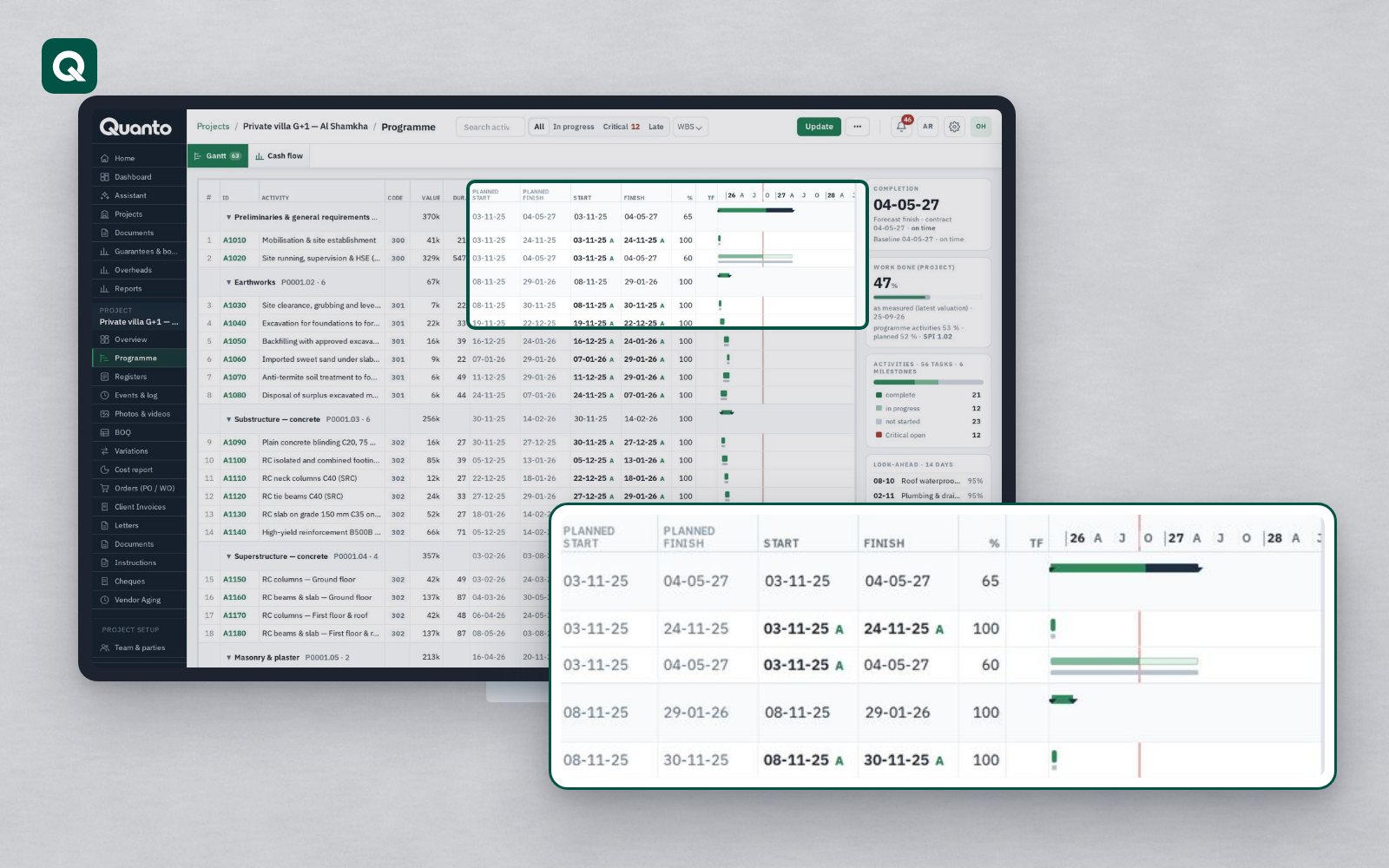
Most projects have a programme. Far fewer use it to run the job. The baseline is approved at the start, updated with difficulty once a month, and opened properly only when a delay claim is being prepared. By then it is hard to tell what happened and why.
Why the programme drifts away from the project
- The programme lives in a specialist tool that only the planner opens.
- Progress on site and progress in the programme are recorded separately and rarely agree.
- The baseline and later versions get mixed up, so nobody is sure what was originally agreed.
- Delays are recorded on site but never linked to the activities they affected.
Bring your programme in
Quanto does not ask your planner to change tools. You import the programme from Primavera P6 (XER or XML) or MS Project (XML). Quanto keeps the versions, the baseline and the progress updates, so you can always see what was agreed and what has changed since.
See what matters this week
- A Gantt view of the whole programme.
- Critical and late activities highlighted.
- A 14-day look-ahead for the site team.
The look-ahead is often the most useful page for the site: what has to happen in the next two weeks, and what is already late.
Planned, earned and actual
A programme says what should happen. Cost and progress say what did. Quanto compares planned against earned and actual, with schedule and cost performance indexes.
By the end of month six, the plan was to have earned AED 18 million of work. The work done is worth AED 16.2 million and cost AED 17 million. The schedule performance index is 0.90 (behind programme) and the cost performance index is about 0.95 (spending more than the work earned). Both numbers tell the project manager to act now, not at the final account.
Delays linked to their causes
Site events in Quanto, such as delays, weather, late access or instructions, are recorded with hours lost and impact, and photos can be linked to programme activities. When a delay needs a notice, the contract clock is already running. For Business and above, time impact analysis with fragnets on the programme, and prolongation cost by head (including the Emden formula), help turn recorded delays into a supported claim for extension of time.
A programme the whole team can read
Because the programme sits in the same project as the contract, cost and site records, the project manager, the quantity surveyor and the site team all read the same dates. The owner and the consultant see progress without waiting for a monthly report.
Tomorrow: from site to office, with daily reports, photos, inspections and NCRs.
Follow Quanto for a new article every day: LinkedIn · X · YouTube · Instagram · Facebook