
Join the project. Not another system.
For electrical, MEP, finishing, steel, glazing and specialist subcontractors invited by a main contractor to a project on Quanto.
No subscription to work on a project you are invited to
The main contractor's package — or the Employer's project licence — covers your work on that project.
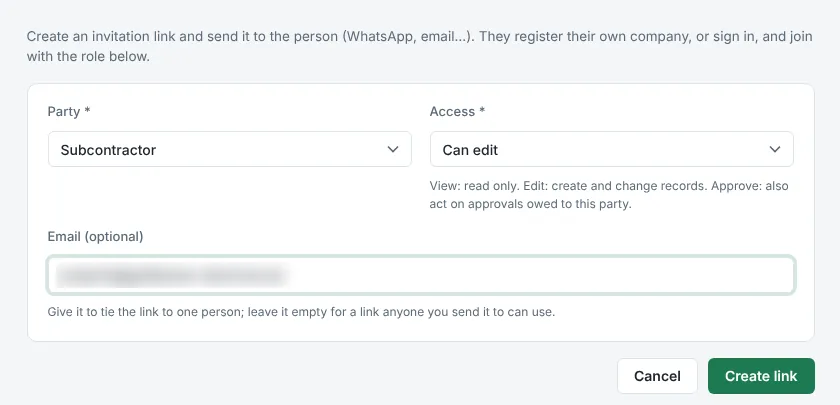
The main contractor invites you
From the project's Team & parties page, as a subcontractor, with the access you need.
You open the link
Your own company account is created in one step — or sign in if you already have one.
You work on the project
Daily records, inspections, letters, snags and safety — at no cost to you.
Your work, recorded once — and counted
Your daily records count
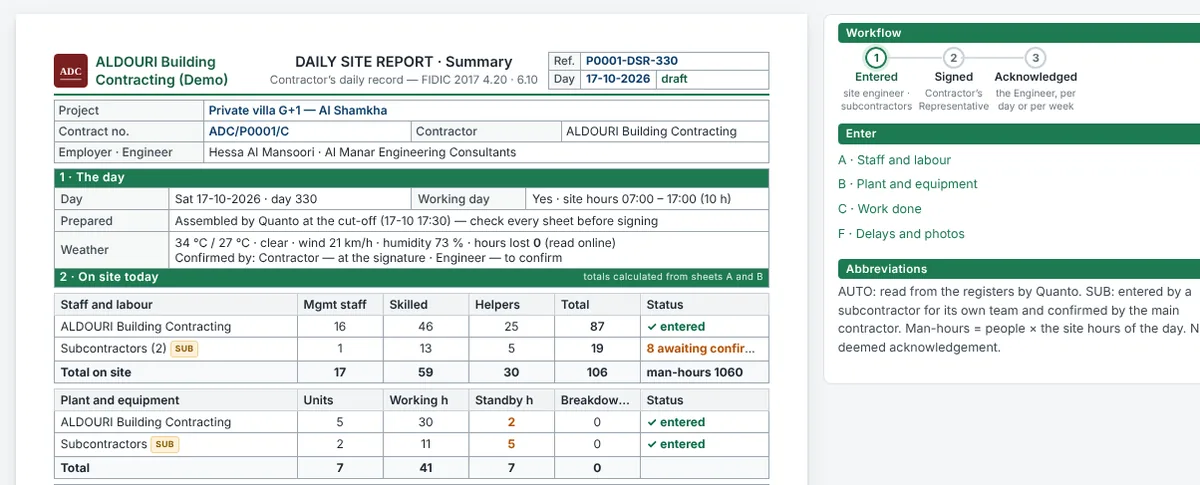
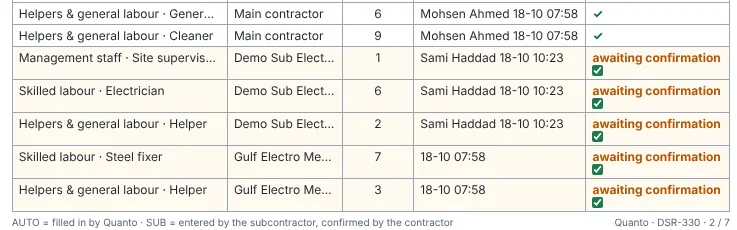
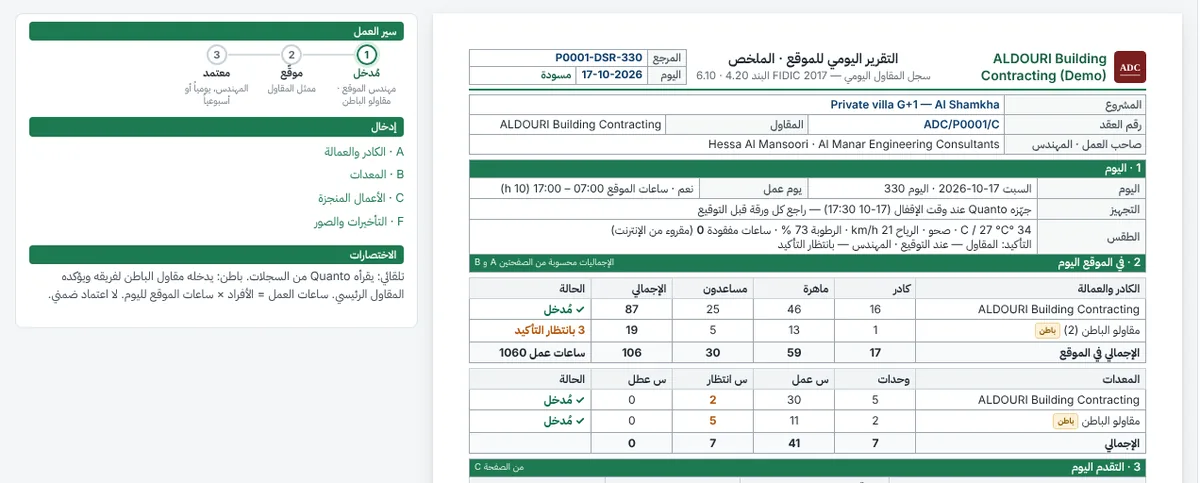
Enter your manpower, plant and work done in the main contractor's daily site report. The contractor confirms your rows, and the signed day is frozen and acknowledged by the Engineer — evidence you can rely on for your own delay and payment claims.
- Your rows are marked SUB until the contractor confirms them.
- Man-hours are calculated — nobody types hours.
- Signed and frozen once the day is closed.
Inspections without chasing
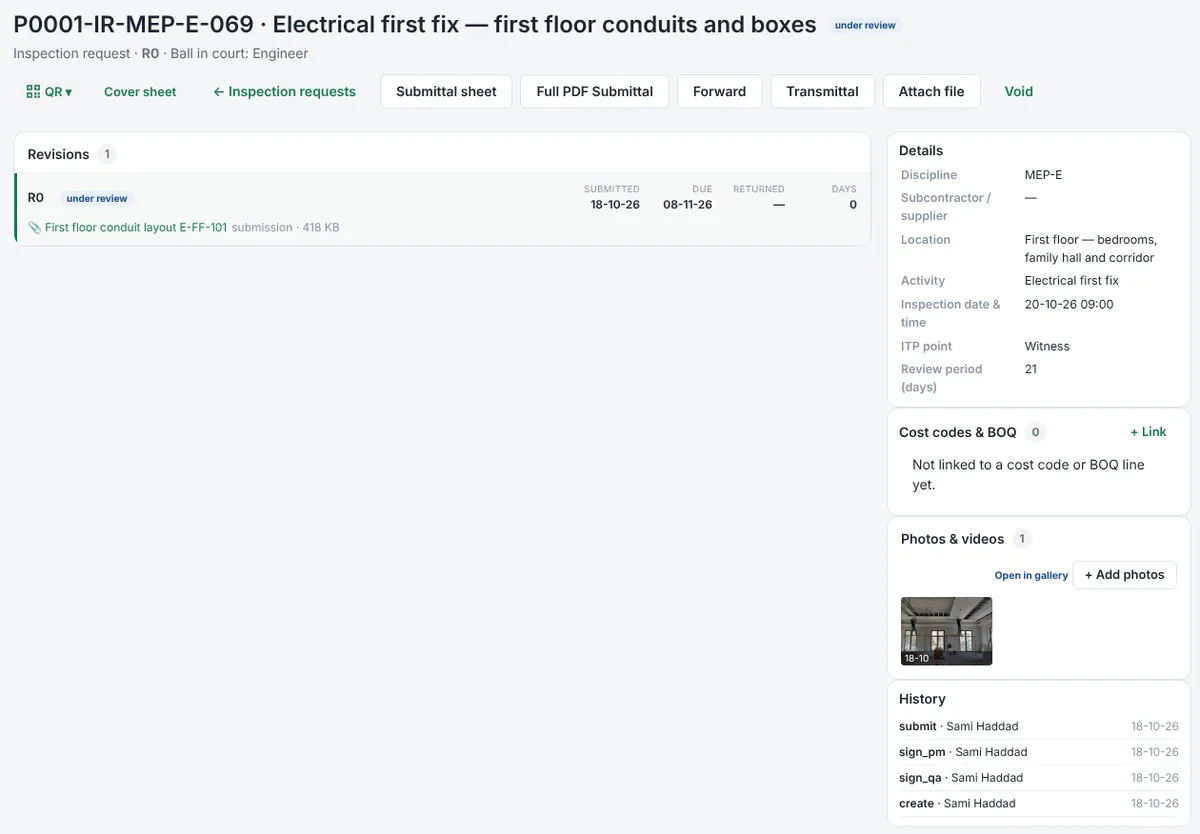
Raise inspection requests for your own work with the ITP point, drawing and photos. The main contractor reviews them and forwards them to the Engineer; you see the result and any NCR, and resubmit.
- Ball in court and due date on every request.
- Drawings and site photos attached to the request.
- Not accepted? Resubmit as the next revision — the history stays.
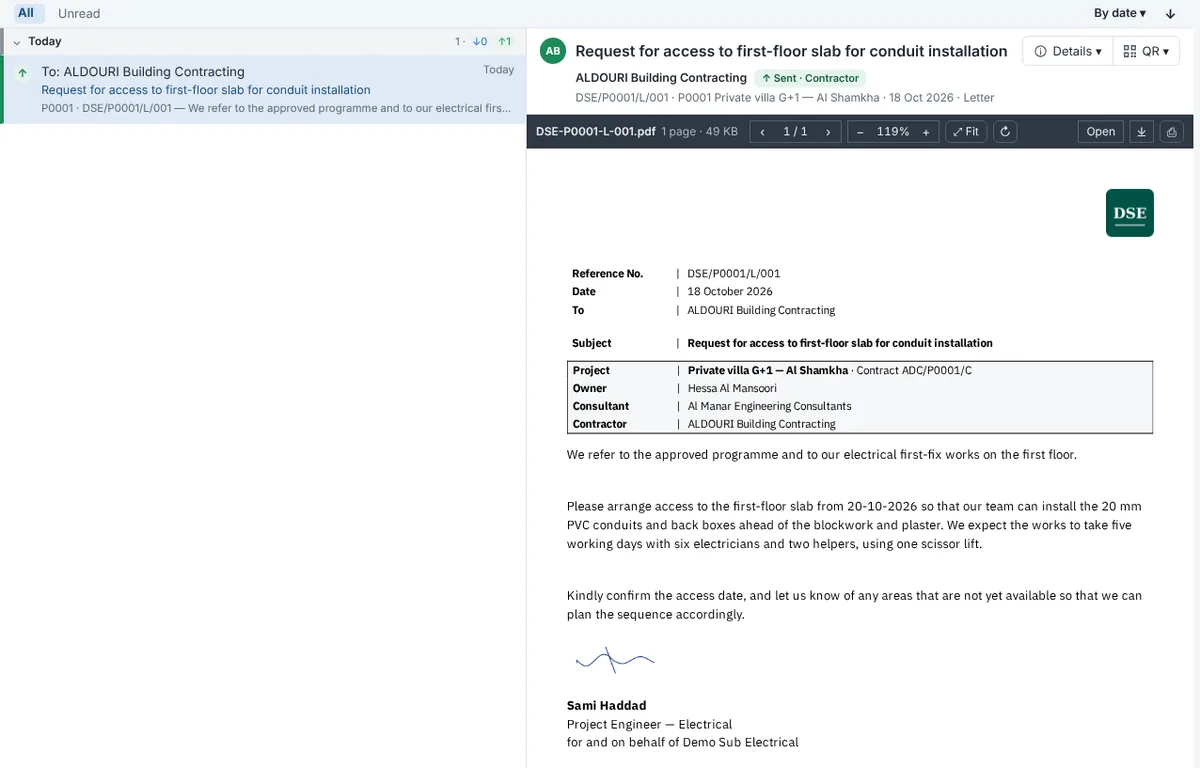
Formal letters, on your letterhead
Write to the main contractor on your own letterhead, with your own reference series and signature. Every letter is time-stamped when it is received.
- Your logo, reference series and signatory.
- Time-stamped receipt on every letter.
- Replies kept with the letter they answer.
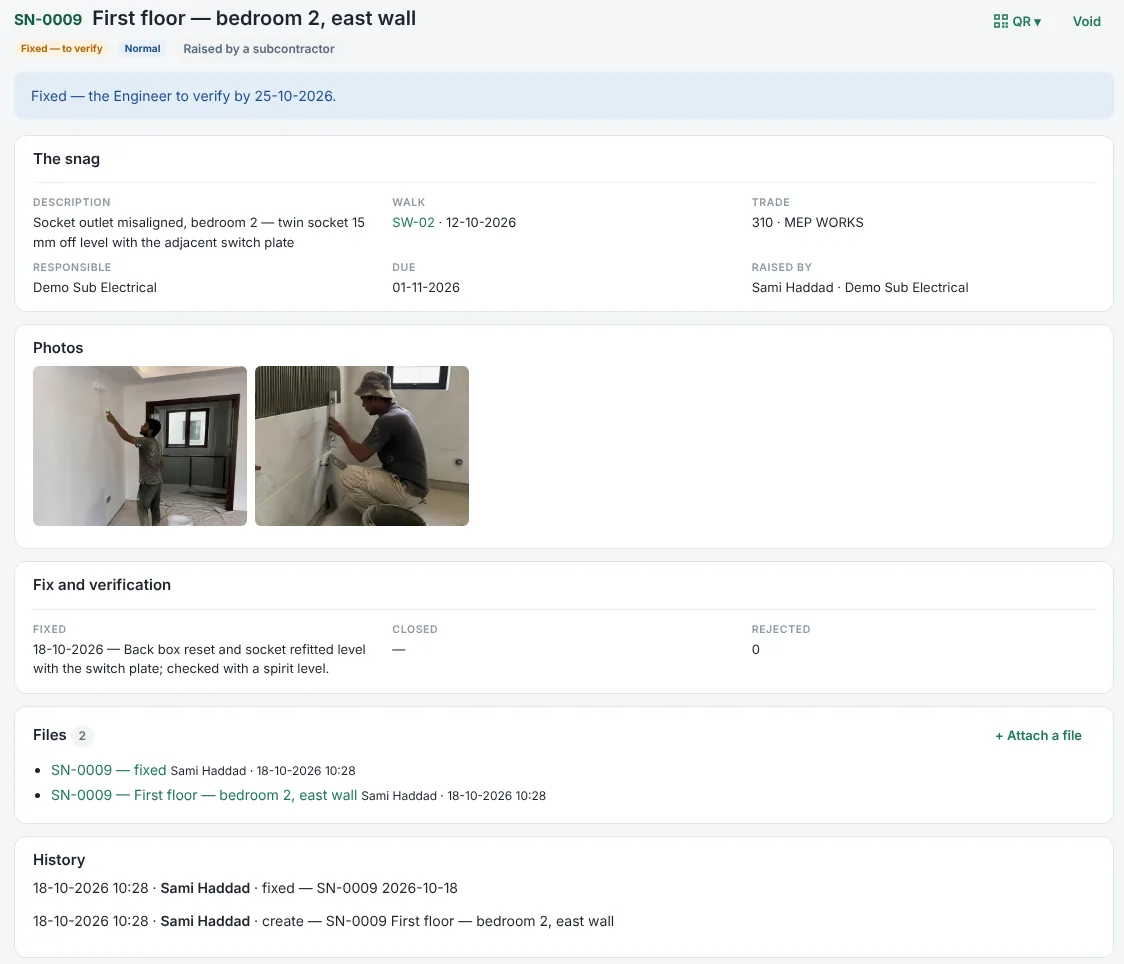
Snags assigned to your trade
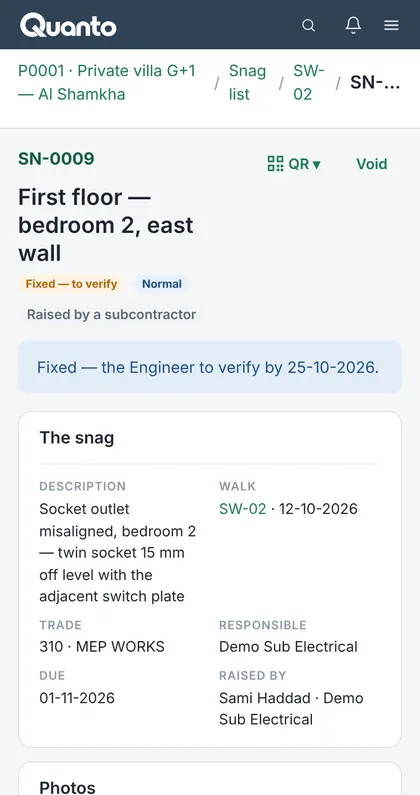
Snags for your trade come straight to you. Fix them, attach the photo and send them for verification — and handover comes faster.
- See the snags assigned to your trade.
- Mark them fixed with a photo and a note.
- Verified and closed by the Engineer.
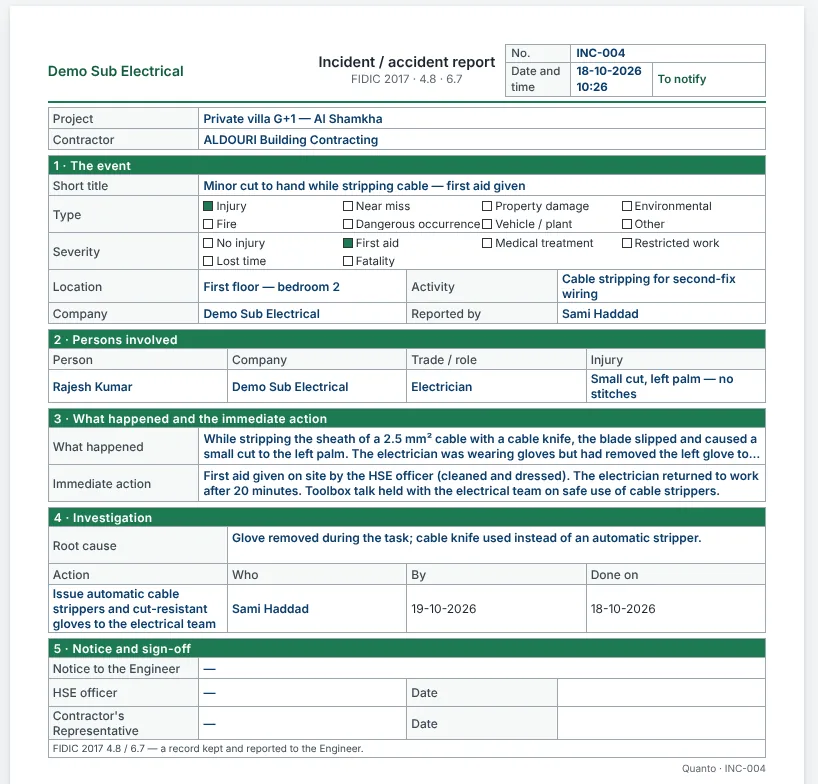
Safety, reported from site
Report incidents on the standard A4 incident sheet — the event, the people involved, the immediate action and the investigation — for the main contractor to review and report to the Engineer.
- Standard A4 sheet (FIDIC 2017 4.8 / 6.7).
- Persons, injury, root cause and actions in one record.
- Filled in on the phone, on site.
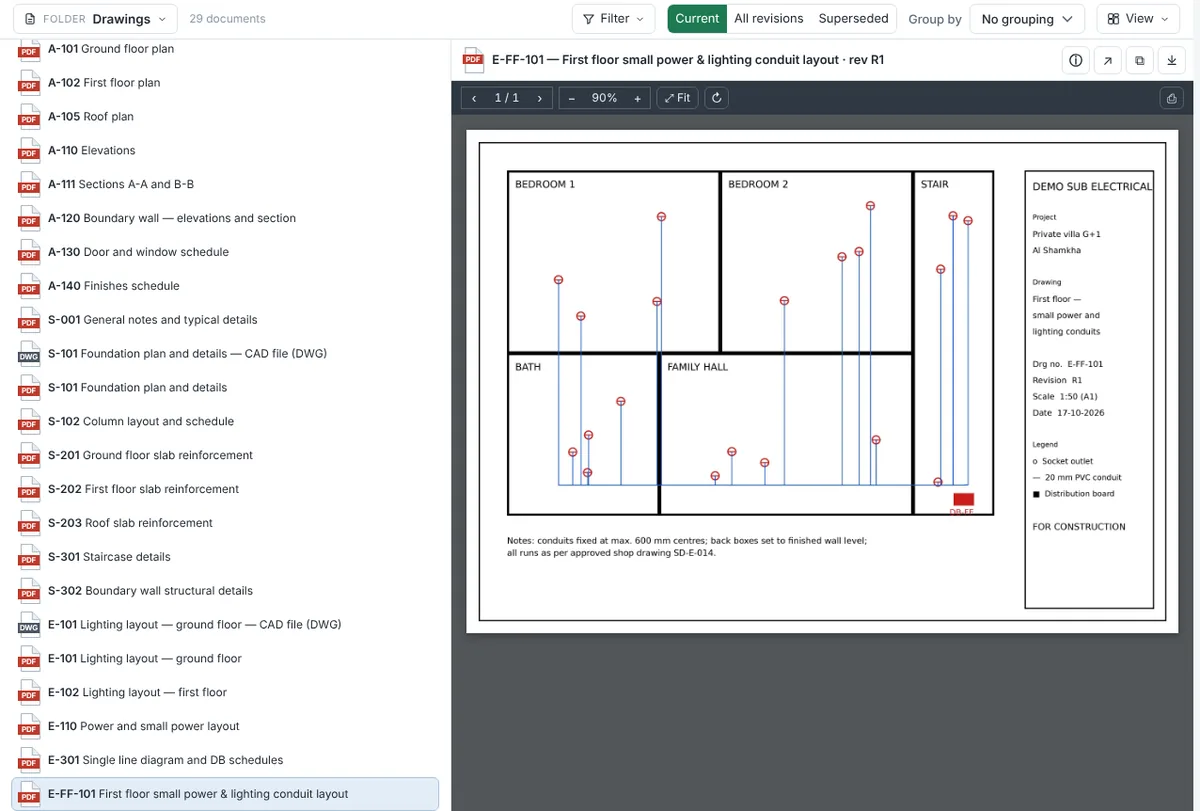
Drawings, documents and photos
Always work from the current revision of every drawing and document, open them in the viewer, and find site photos linked to the day they were taken.
- Current and superseded revisions clearly marked.
- Drawings open in the viewer — no download needed.
- Photos by day, area and trade.
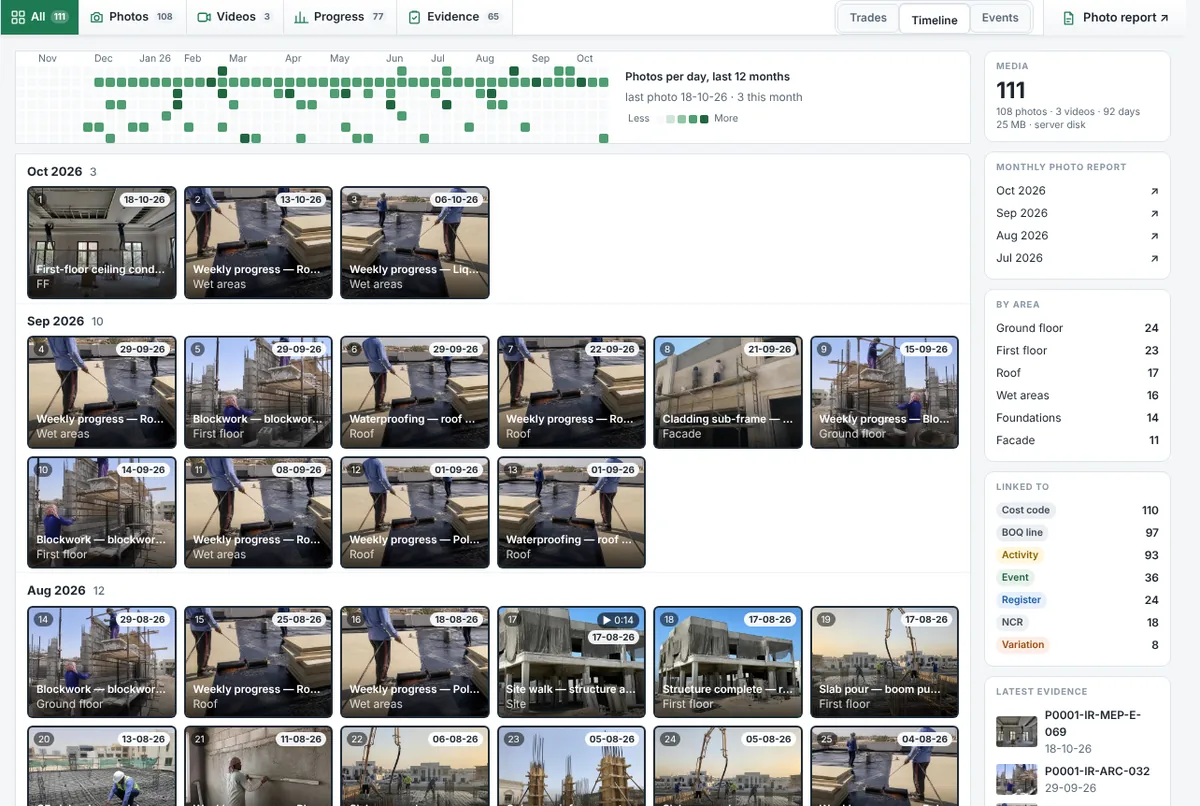
You see only what is shared with you
What you never see
The main contractor's contract value, costs and margins. On the project you see only what is shared with you.
What the main contractor never sees
Your internal costs. They see only what you enter on their project.
Arabic and English, on the phone
Every screen in Arabic and English — each user chooses. Quanto works in the phone's browser, with nothing to install.
Want Quanto for your own projects and suppliers?
Your company can take its own package any time — to run your own projects, suppliers and subcontractors. See packages and prices →
Questions from subcontractors
Do I pay to work on a project I'm invited to?
What can the main contractor see of my company?
Can I use the same account for several main contractors?
Who confirms my daily records?
What happens to my records when the project ends?
Try the full system for 30 days
Free trial of the Business package. No card needed. Your data stays yours.
Sample data — refreshed every night at 03:00 UAE time.