Quanto Management features
Every module. One project record.
Contract, change, money, time, site and records, connected so every figure has its evidence behind it.
Contract and parties · 01/14
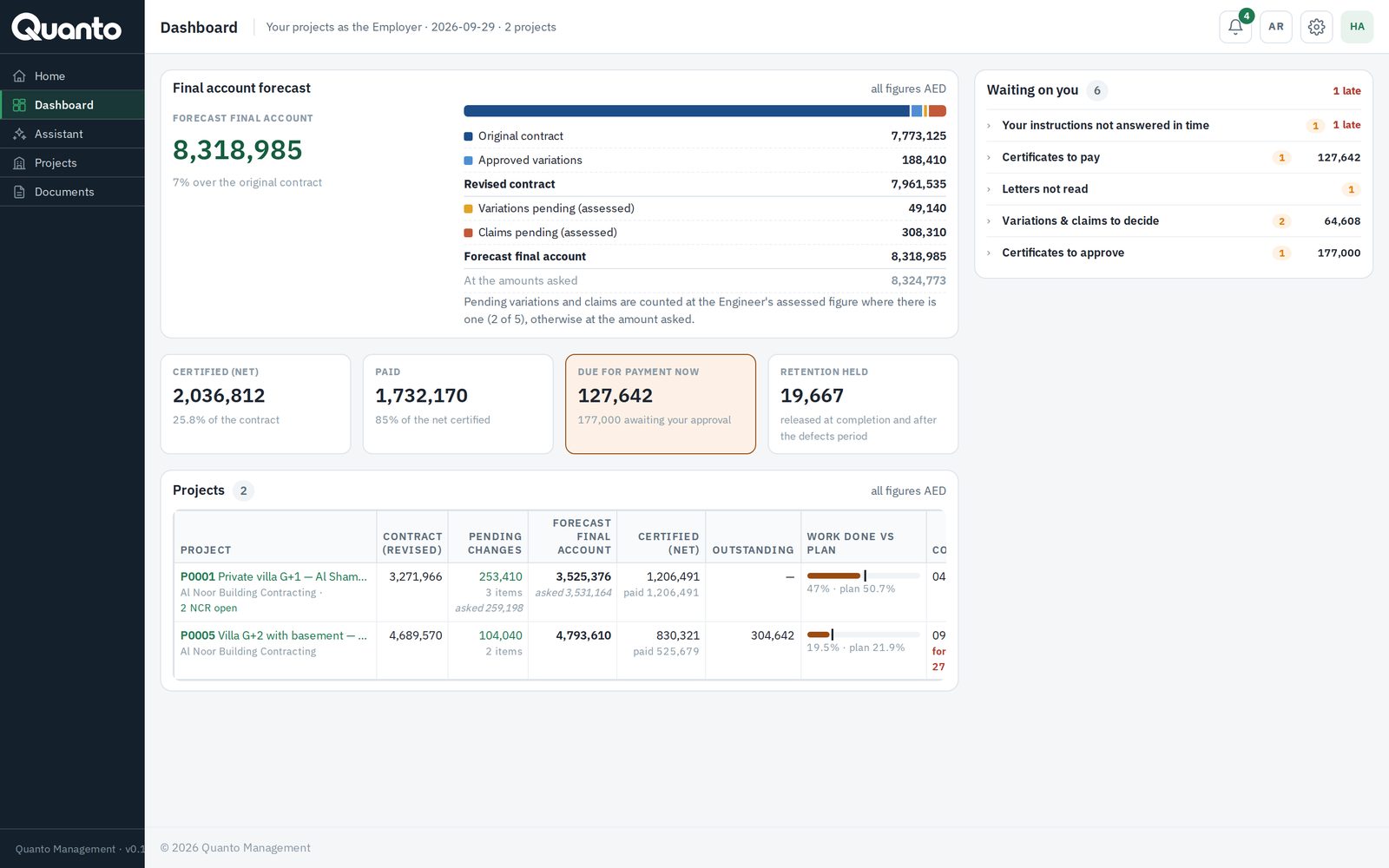
Parties and permissions
- The company that runs the project invites the owner, the consultant, subcontractors and viewers by link — invited parties join free.
- Access by party and level (view, edit, approve). Each party gets its own home page and "waiting on you" list.
- Contractor-only information — orders, costs, margins, cheques, suppliers — is never shown to the owner or consultant.
- Drafts stay with the company that wrote them until they are sent.
Contract and parties · 02/14
Contract and BOQ
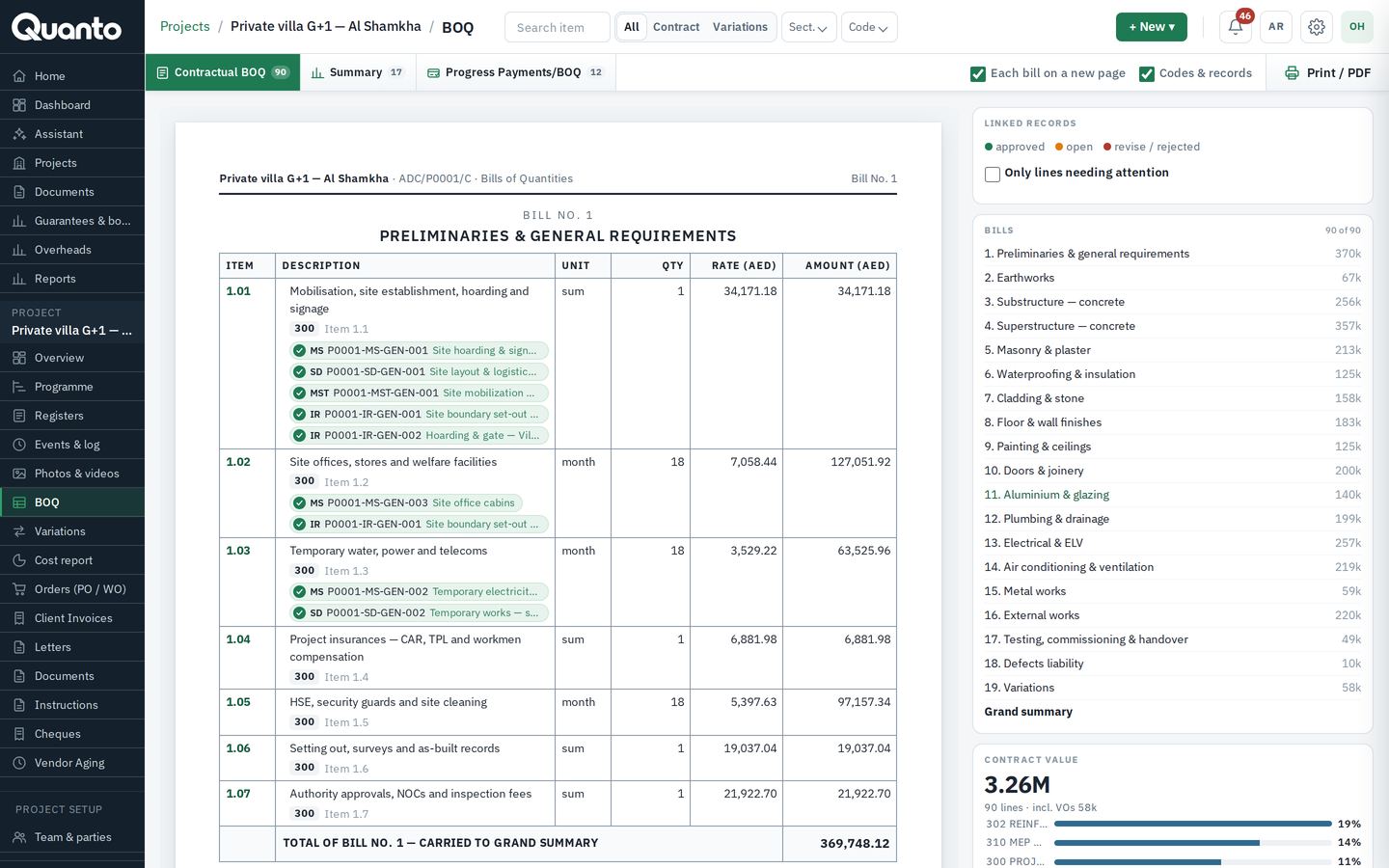
- One main contract per project: lump sum, remeasured or cost plus; contract sum, retention, advance payment and recovery, liquidated damages and cap, defects liability period, key dates.
- BOQ in named sections, each line with its cost code and scope (by contractor or by owner); inline editing.
- Revised contract sum = original + approved variations, always up to date.
- Contract documents checklist and attachments on the contract record.
Change and money · 03/14
Instructions, variations and claims
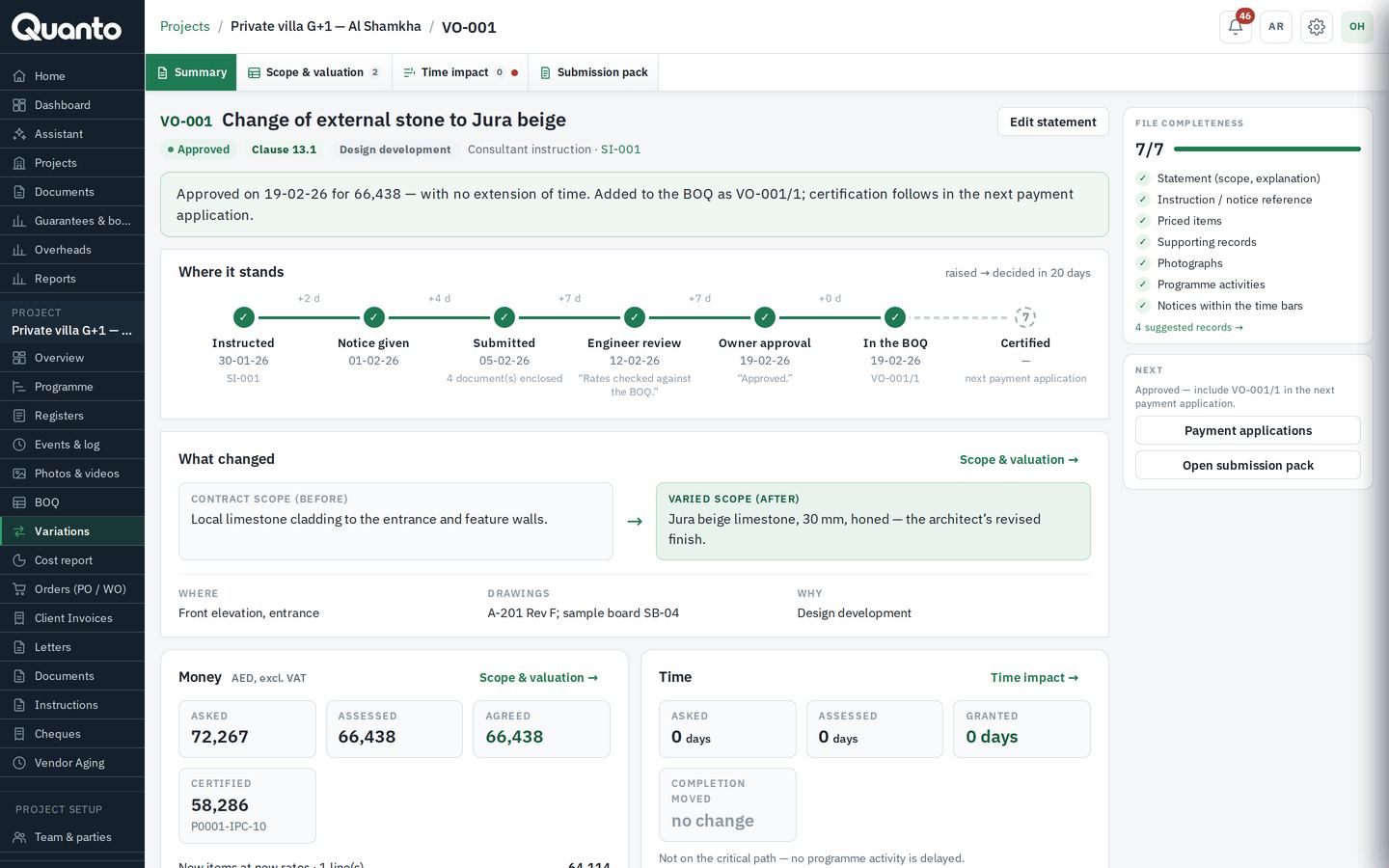
- Instructions from the Engineer or the owner, answered by the contractor as no cost, variation or disputed.
- Variations priced by item, submitted by the contractor, reviewed by the consultant and approved by the owner — every step dated and named.
- Claims with extension of time, linked site events, photos and letters as evidence; continuing claims with interim updates. Variations and claims →
- Watch on variations as a share of the contract sum.
- Business+ Time impact analysis with fragnets on the programme, and prolongation cost by head (including the Emden formula).
Change and money · 04/14
Valuations and payments Professional+
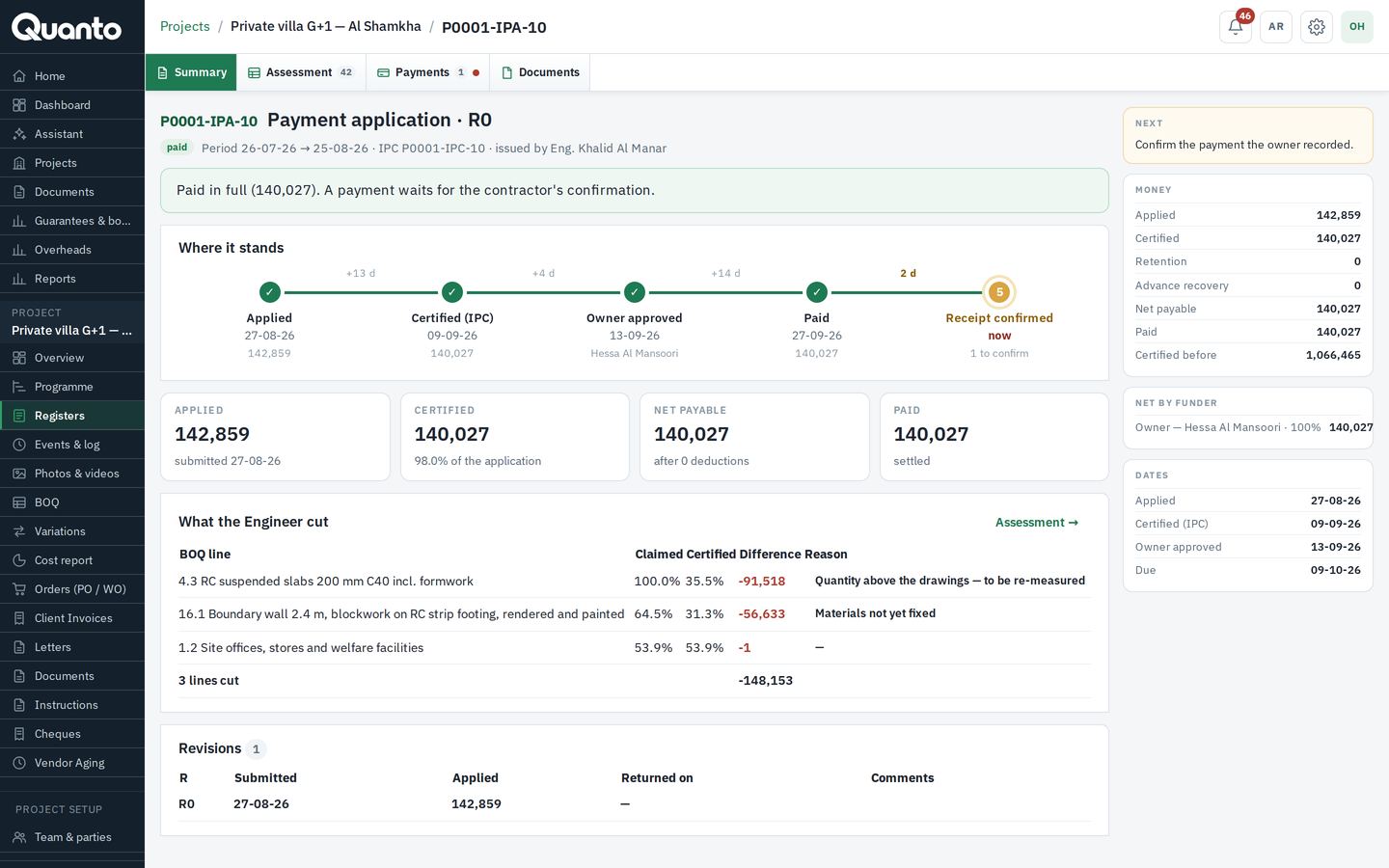
- Progress entered by BOQ line for each valuation period; the payment application builds itself from it.
- The Engineer certifies line by line, with reasons for any amount held; the owner approves where the contract requires it.
- Retention, advance recovery, materials on site, amounts held for open NCRs, unapproved variations on account, and credits.
- Owner payments recorded and confirmed; split by funder where a project has more than one.
- Printable application and certificate papers. Interim payment certificates →
Change and money · 05/14
Procurement Professional+
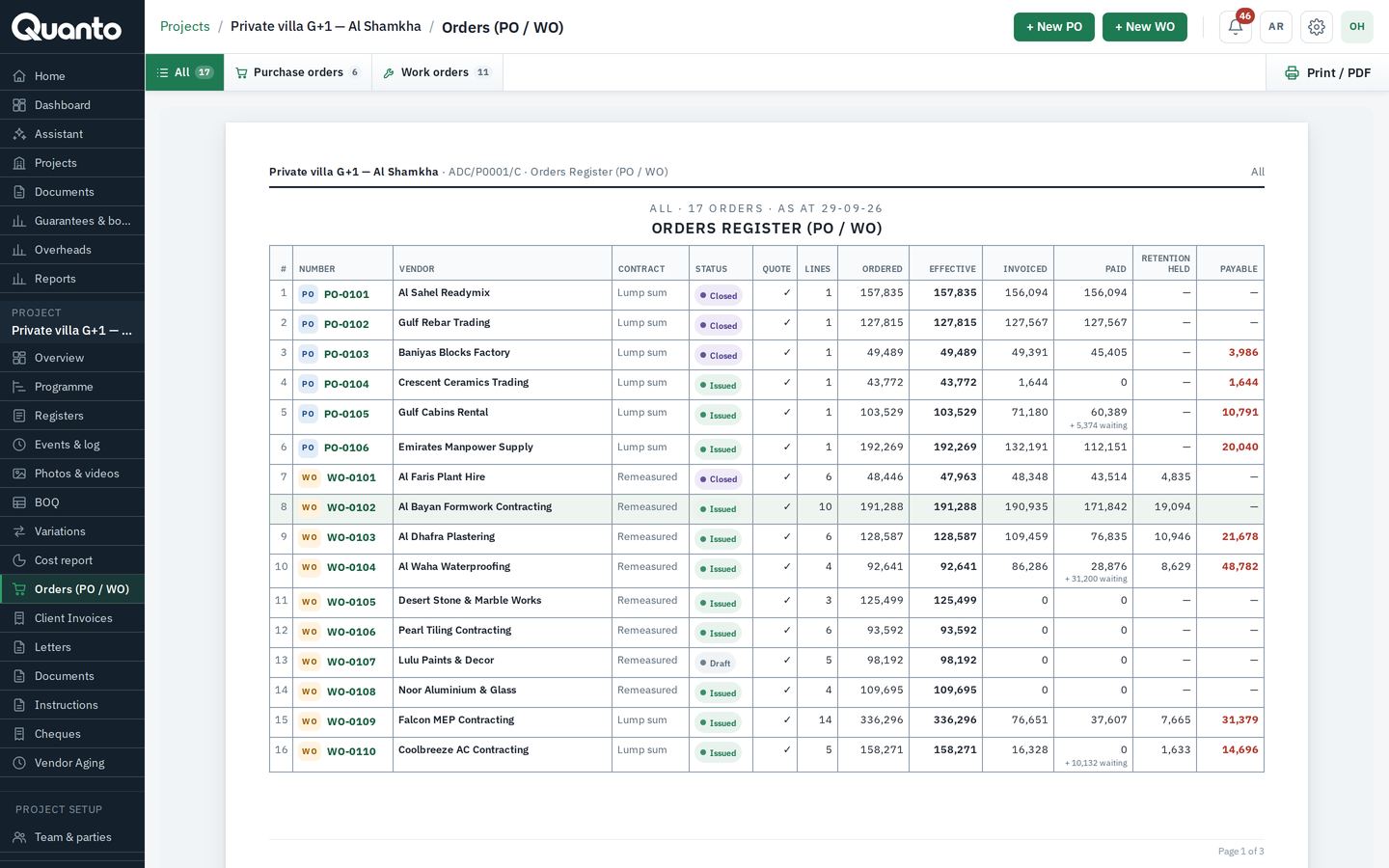
- Purchase orders (materials) and work orders (subcontracts) with automatic numbering.
- A vendor quotation must be attached before an order can be issued.
- Payment terms; retention with its release date for work orders; warranty terms for purchase orders.
- Vendor invoices with due dates, payments released after approval, and vendor aging.
- Subcontractor register with licence and insurance expiry dates.
Change and money · 06/14
Cost, cash and company finance Professional+
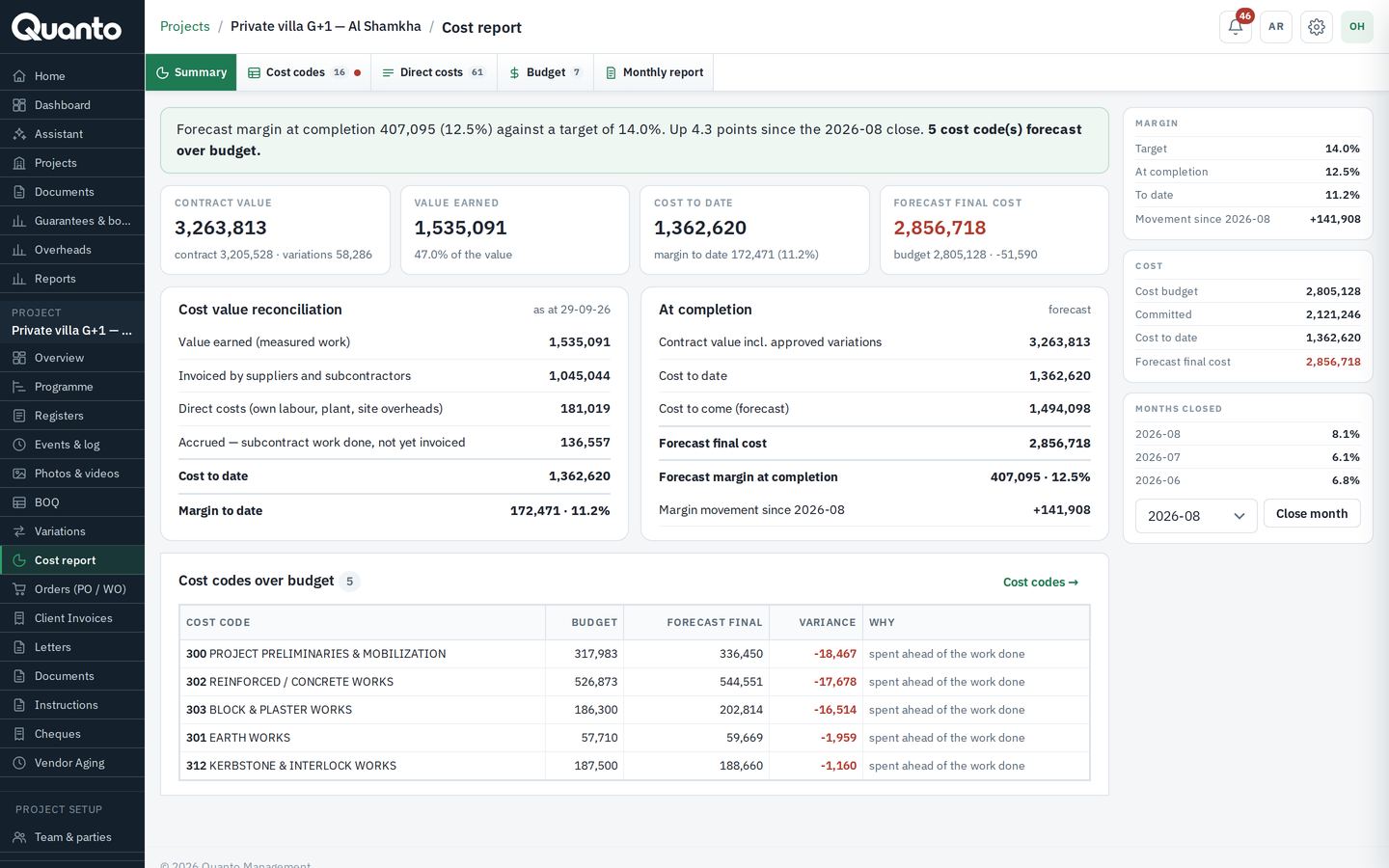
- Per cost code: contract value, budget, committed, actual, and what is still to order.
- Expected final cost and margin per project and across the company.
- Cash flow: money in and out by month, and the months that need funding.
- Cheques issued and received, guarantees and bonds with expiry alerts, company overheads.
Time and site · 07/14
Programme
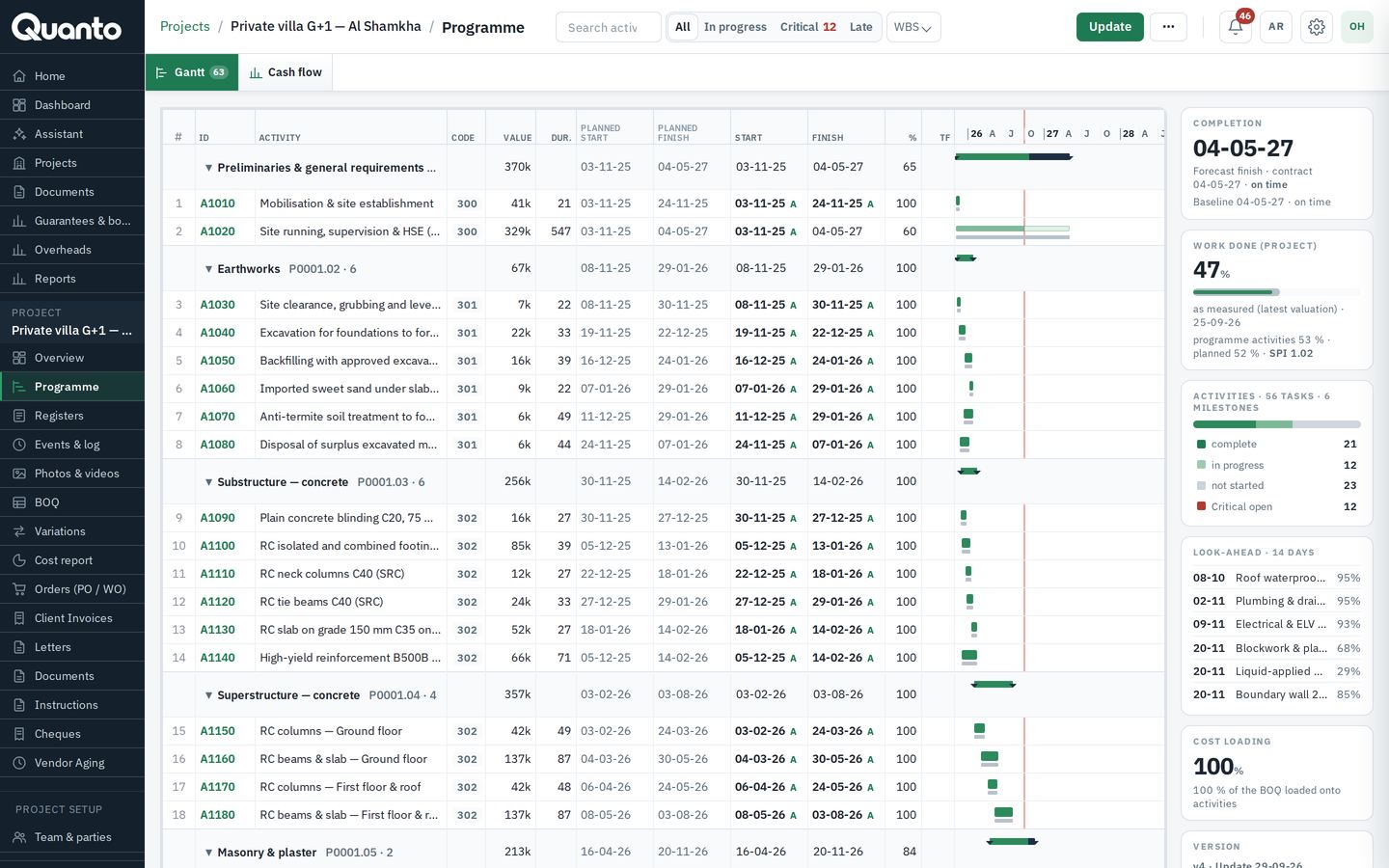
- Import from Primavera P6 (XER / XML) or MS Project (XML); versions, baseline and progress updates.
- Gantt view, critical and late activities, 14-day look-ahead.
- Planned against earned and actual, with schedule and cost performance indexes.
Time and site · 08/14
Site records and the project log
- Site events in 14 types — meetings, concrete pours, deliveries, inspections, tests, weather, delays, instructions, incidents and more — with hours lost and impact.
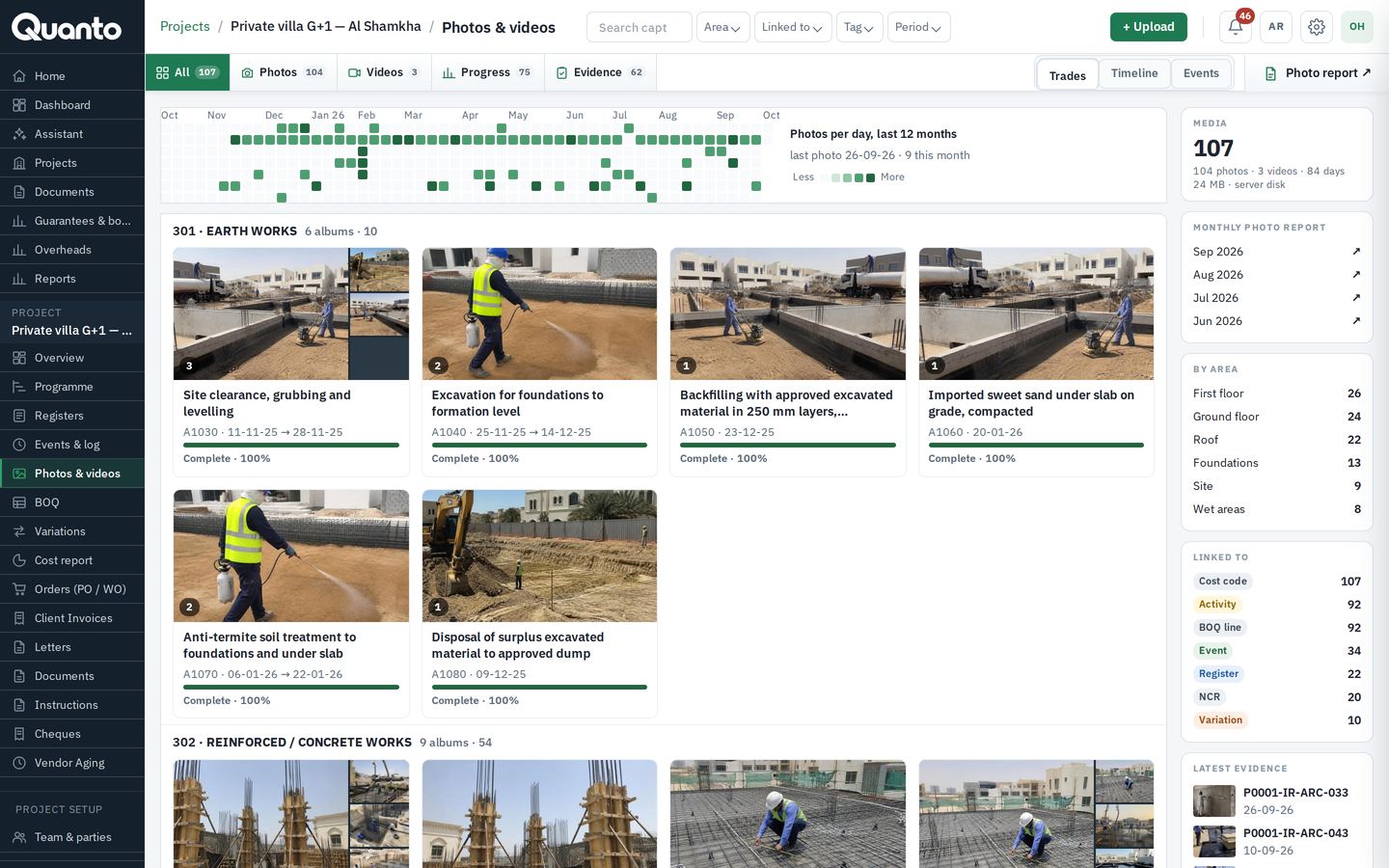
- Photos and videos tagged by area and linked to events, activities, BOQ lines, variations and letters.
- One project log that records every action automatically: the project's permanent memory.
Records and control · 09/14
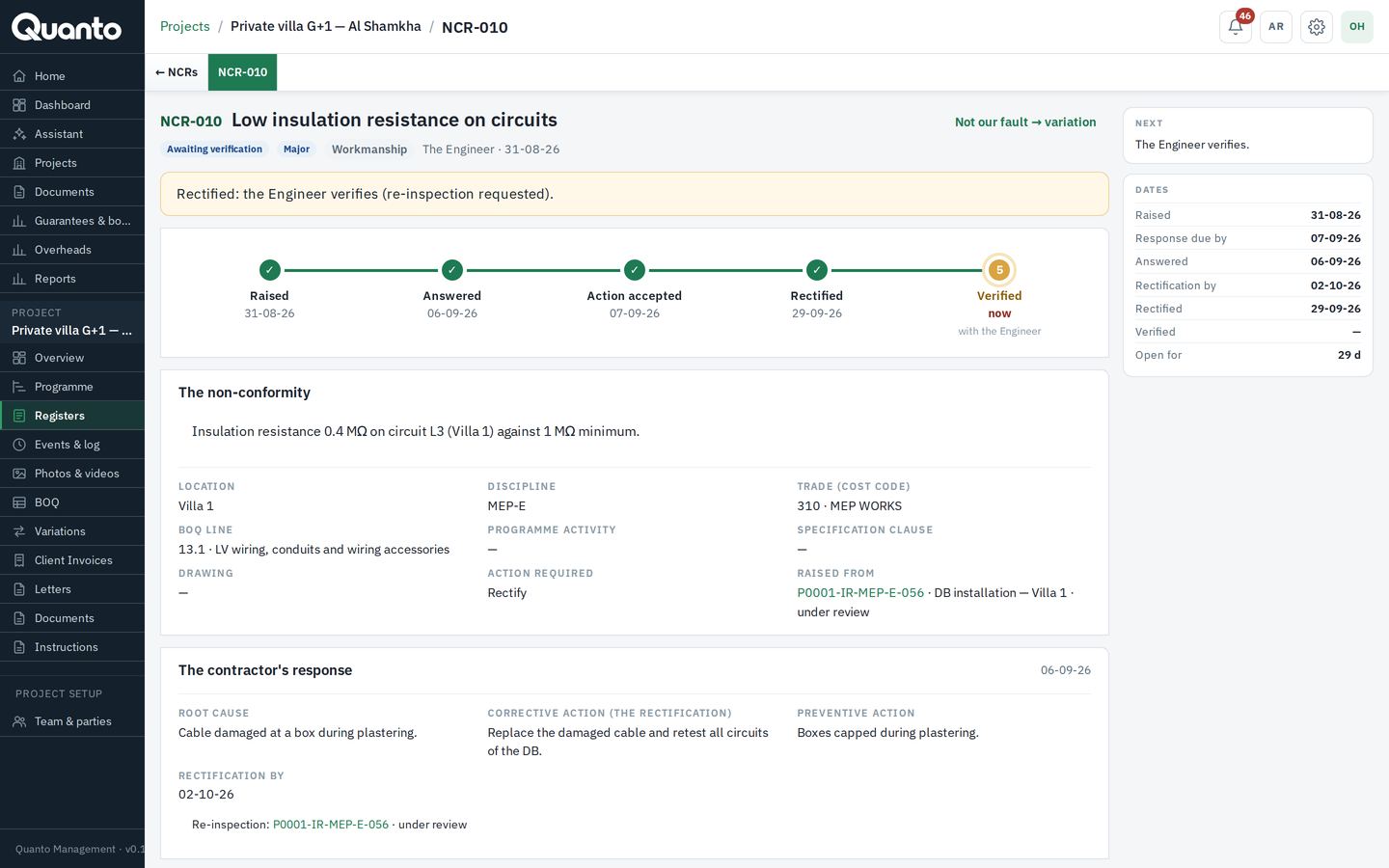
Registers and quality
- Material submittals, shop drawings, method statements with revisions and review codes (A–D), ball in court and due dates.
- Inspection requests, RFIs with cost and time impact, transmittals in and out.
- Non-conformance reports from raising to close-out: response, rectification, re-inspection, verification.
- Keeps your project records in line with ISO 9001 and ISO 45001: controlled revisions, corrective action with root cause, inspections, incident reports — each with its full history.
Records and control · 10/14
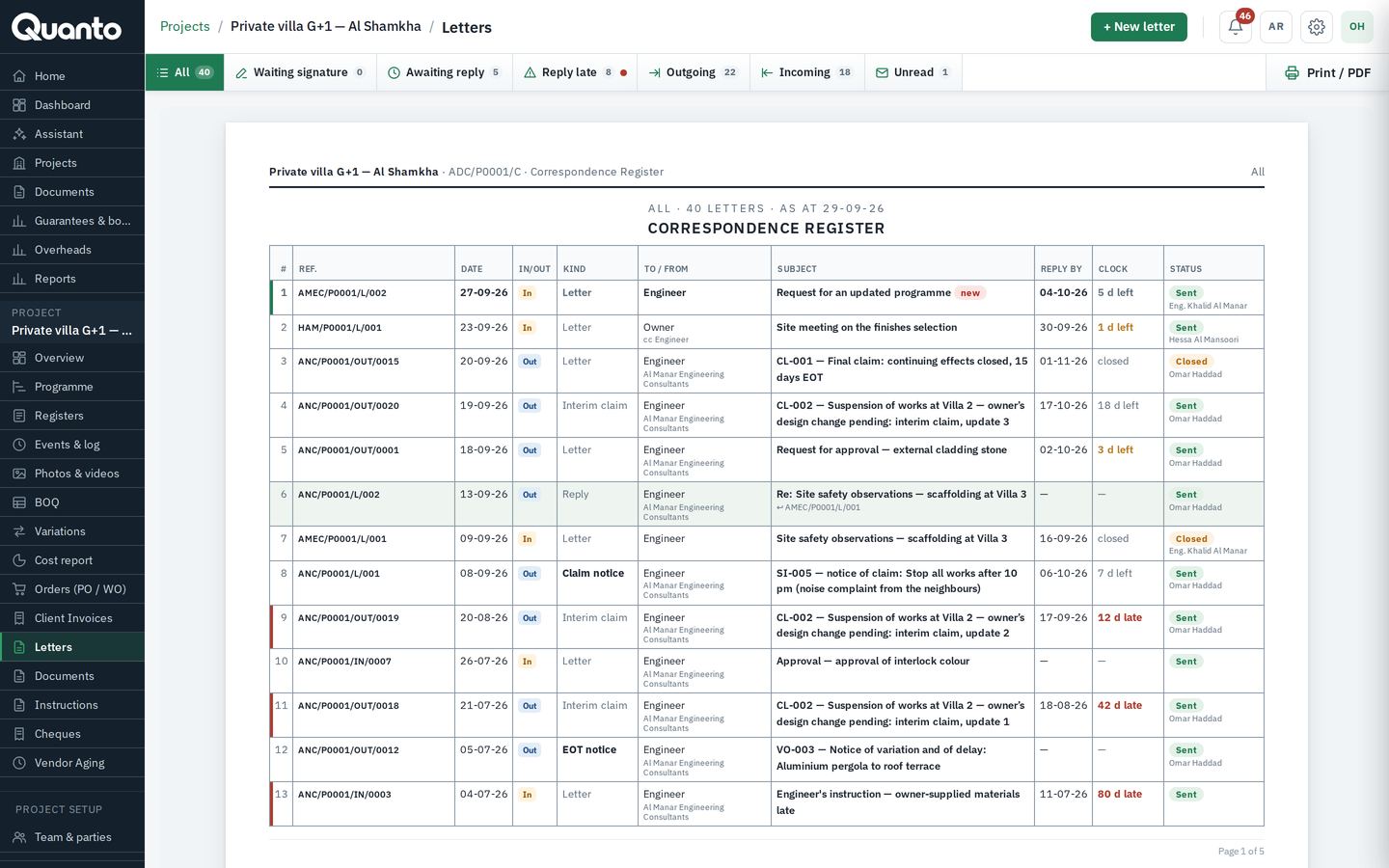
Letters and documents
- Company letterhead and your own reference numbering pattern.
- A signatory signs before a letter goes out; parties on Quanto receive it in their inbox, with read receipts, reply-by dates and threads.
- Documents library by project and class; drawings with revisions (for approval, for construction, as built, superseded).
Records and control · 11/14
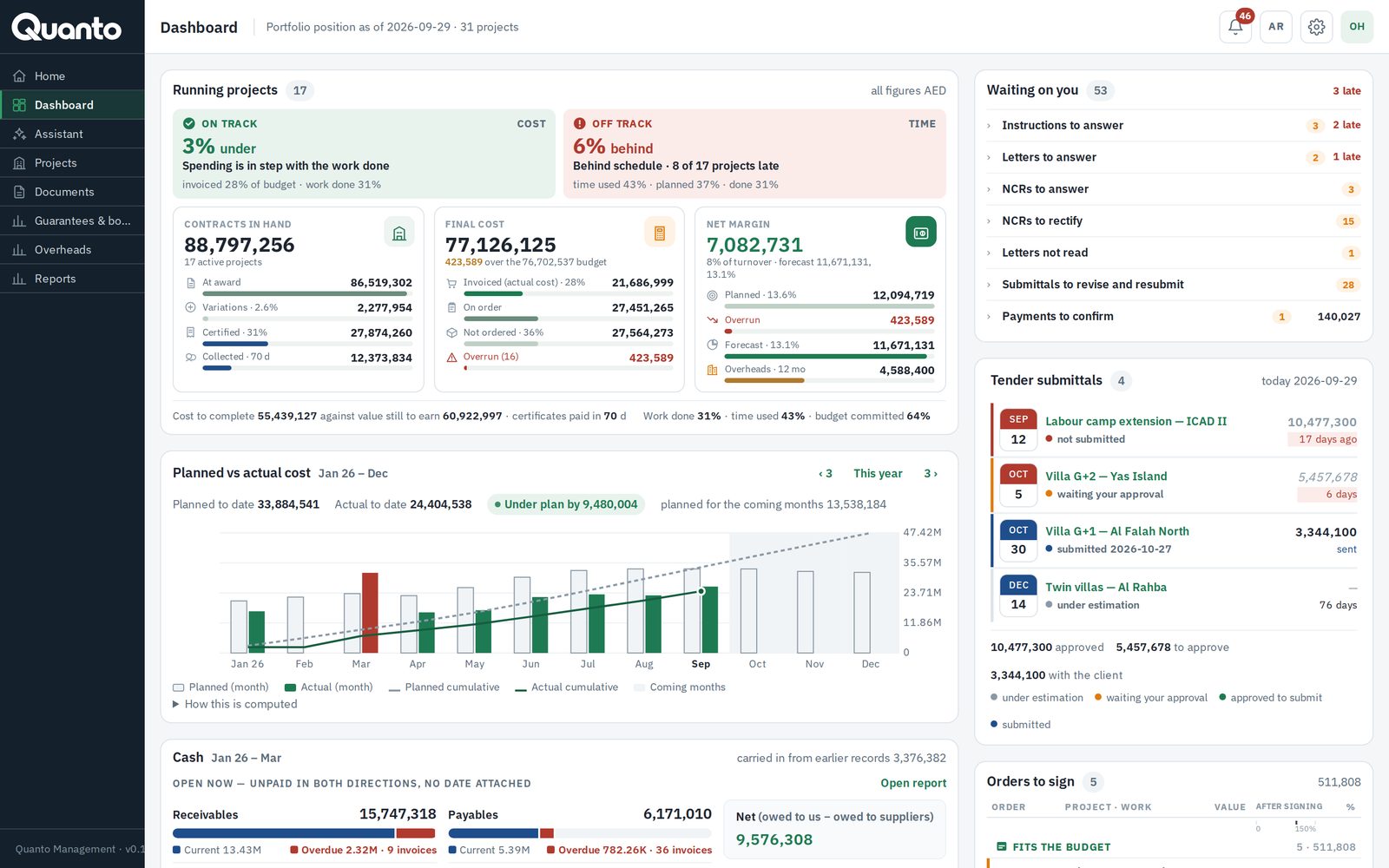
Notifications and dashboards
- In-app notifications and reminders two days before a deadline and when it is missed; a morning email summary.
- Company dashboard: cost and time status of every running project, approvals waiting, cash position full view Professional+.
Platform · 12/14
AI Assistant Business+
- Ask questions about your projects in plain words, by typing or by voice.
- Answers come from your own records, and respect each party's access.
Which variations on Villa G+1 are waiting for the owner?
3 variations, AED 49,140 in total: VO-004, VO-006 and VO-007. The oldest has waited 9 days.
From your records: VO-004 VO-006 VO-007Platform · 13/14
Languages, imports and integrations
- Arabic and English on every screen, right-to-left for Arabic.
- Import suppliers, cost codes and projects from Excel; programmes from P6 and MS Project.
- Business+ Zoho Books: suppliers, chart of accounts and projects.
Languages
Imports
Integrations

Platform · 14/14
Security
- Encrypted connections (HTTPS) everywhere; each company's data kept separate.
- Records are never silently deleted — changes are logged with who and when.
- Hosted on our secure cloud in the EU; hosting in your own country available as an add-on.
Change log
- VO-006Amount revisedEng. Khalid
- IPA-12CertifiedEng. Khalid
- L-118Reply sentS. Rahman
What Quanto does, module by module. Items marked Professional+ are in Professional and above; items marked Business+ are in Business and above.
Any form of contract. Every period counted.
Choose the form of contract when you set up the project. Quanto loads every period and time bar of that form and counts them on your project's calendar — calendar days, weeks, working days, or Werktage with public holidays — and shows what silence means: time-barred, deemed approved, deemed rejected or interest due. Where your Particular Conditions differ, change the period for that project.
Each period shows its clause and who must act by when — on the project's clocks page and on every variation and claim.
Try the free time-bar calculatorFIDIC 2017 Red
Notice of Claim within 28 days (20.2.1); fully detailed claim within 84 days (20.2.4)
If nothing happensTime-barred; the notice lapsesEngineer's determination within 42 days (3.7.3)
If nothing happensDeemed rejected
FIDIC 1999 Red
Notice within 28 days; detailed claim within 42 days (20.1)
If nothing happensTime-barred
NEC4 ECC
Compensation event notified within 8 weeks (61.3); the PM replies within 1 week, then 2 more weeks after a reminder (61.4)
If nothing happensTime-barred, or deemed accepted
JCT 2024 SBC
Notice of delay forthwith (2.27.1); Architect/CA decision within 12 weeks (2.28.2)
If nothing happensFlagged on the clock
VOB/B
Behinderungsanzeige without delay (§ 6 Abs. 1); additional work announced before it starts (§ 2 Abs. 6); Schlusszahlung within 30 days (§ 16 Abs. 3)
If nothing happensEntitlement at risk; default interest
Try the full system for 30 days
Free trial of the Business package. No card needed. Your data stays yours.
Sample data — refreshed every night at 03:00 UAE time.